> For the complete documentation index, see [llms.txt](https://guides.tability.io/docs/llms.txt). Markdown versions of documentation pages are available by appending `.md` to page URLs; this page is available as [Markdown](https://guides.tability.io/docs/become-a-tability-power-user/integrations/salesforce.md).
# Salesforce
You can connect Tability to Salesforce to automatically pull data for your check-ins without having to switch context.
Once you add Salesforce as a data source for an outcome/Key Result, Tability can:
* Pull the most recent value of the metric when you open the check-in form.
* Automatically sync your metric while the plan is active (Premium subscription only).
{% hint style="info" %}
Available on Premium subscriptions
{% endhint %}
***
## How to enable the integration
#### **Step 1. Upgrade to the Premium subscription**
You'll need to have a *Premium subscription* to use the Salesforce data connector.
#### Step 2. Connect your Salesforce account to Tability
You will need to have your Salesforce domain name ready to connect your Tability workspace to Salesforce.
Here are some examples of Salesforce URLs below to help you find your domain name.
* **Classic:** https\://***yourDomainName***.salesforce.com
* **My Domain**: https\://***yourDomainName***.my.salesforce.com
* **Lightning:** https\://***yourDomainName***.lightning.force.com
Once you have your domain name, head of to Tability and:
1. Go to **Workspace Settings > Integrations**
2. Click on the button **Connect to Salesforce**
3. Add your domain name in the field
4. Click **Save**
Once you complete the OAuth process, your Salesforce instance will be connected to Tability.
***
## How to add a data source to a KR
Once Salesforce is connected, you will be able to use it as a data source for your outcomes/KRs.
#### Adding the connector
1. Click on a key result in Tability to open up its panel
2. In the **Data Connector** section (top right), click on **Connect a data source**\

3. Select **Salesforce** in the data source options
From here you will have 2 options available:
* Use Salesforce SQL (SOQL) to query directly the salesforce data
* Use the report integration to select data from an existing report
#### **Using SOQL**
The Salesforce integration allows you to write SOQL queries to get data from your Salesforce account.
You can find various examples of queries in the [Salesforce SOQL documentation](https://developer.salesforce.com/docs/atlas.en-us.soql_sosl.meta/soql_sosl/sforce_api_calls_soql_select_examples.htm).
**Rules**
* The query must start with `SELECT`.
* The query must not contain a semicolon `;`.
* The query should return a single numeric value (e.g. `COUNT`, `SUM`).
**Examples**
* `SELECT COUNT(Id) FROM Opportunity`
* `SELECT SUM(Amount) FROM Opportunity WHERE IsClosed = true`
#### Using a report
Tability can also track the summarised values of a column in an existing Salesforce report.
**Preparing your report**
You will need your report ID that you can get from the your report URL.
ex: **00OQy00000NzEIXMA3**/
Next you need to activate the summarised functions for the column that you want to use in your report.
1. Find the column that you want to track
2. Click on the dropdown option
3. Click on **Summarize** > **\[Function]**
**Using your report in Tability**
1. Add your report ID
2. Click on **Load data**
3. Use the dropdowns to select the desired value to track
#### **Saving your connection**
Click on "Save & preview" to complete the connection.
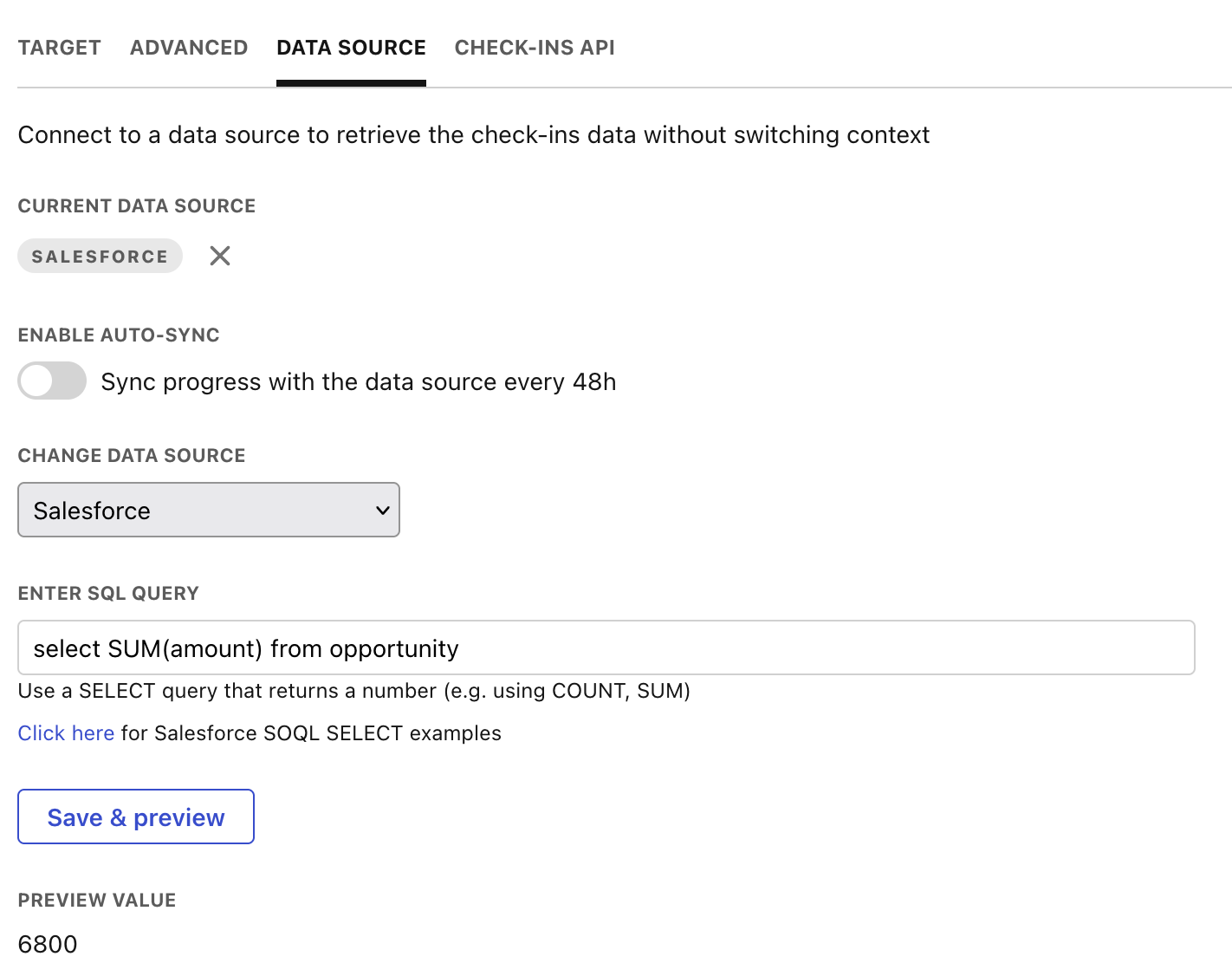
Tability will retrieve the current value for that metric and your screen should look like this 👇
You can now toggle the option to Enable auto-sync of your metric if you're on a Premium subscription.
Tability will retrieve the value of your metric from Salesforce every other day, and will create a check-in on behalf of the owner of the outcome/KR.
The first data sync should happen within 1h of enabling this option.
## How to use the data source in your check-ins

It's all automatic! Once an outcome/KR is connected to a data source, Tability will automatically pull the current value whenever you open up the check-in modal.