> For the complete documentation index, see [llms.txt](https://guides.tability.io/docs/llms.txt). Markdown versions of documentation pages are available by appending `.md` to page URLs; this page is available as [Markdown](https://guides.tability.io/docs/become-a-tability-power-user/features/reporting/sharing-presentations-externally.md).
# Sharing presentations externally
Share your presentations with those who don't have access to Tability
You can share a nearly identical presentation from [Presentation mode](/docs/become-a-tability-power-user/features/reporting/presentation-mode.md) with people outside of your Tability instance by clicking on the Share button:
## How to share presentations
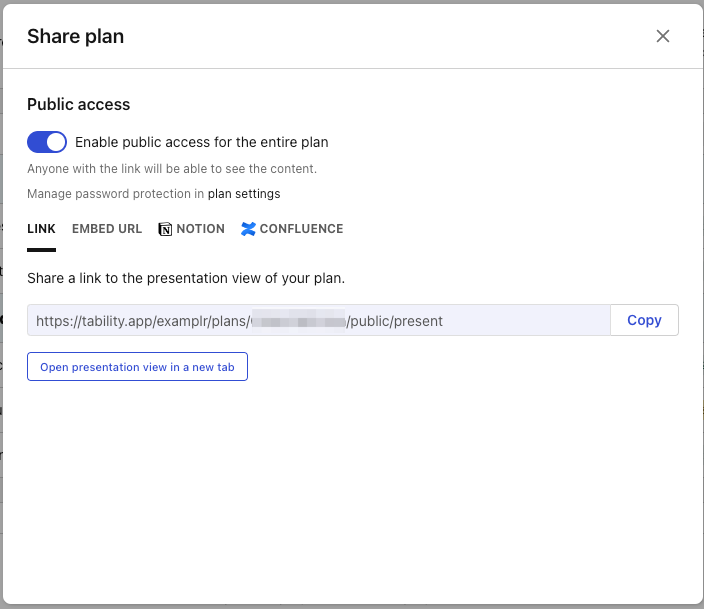
From either the plan dashboard or an active presentation, click on the Share button (as seen above). From there, toggle **Public access** to enable sharing.
{% hint style="info" %}
Enabling Public access only allows those with a link to the presentation to see it (the presentation isn't searchable by those without the link). If you'd like to enable password protection, however, you can do so from the plan settings.
{% endhint %}
You can send a link directly to the presentation or choose to embed the presentation into Confluence, Notion, or anywhere else you can embed content:
For more information on embedding in other tools, check out these guides:
{% content-ref url="/pages/qUxD1cvDCBR7UzuyFKXg" %}
[Confluence](/docs/become-a-tability-power-user/integrations/confluence.md)
{% endcontent-ref %}
{% content-ref url="/pages/KrVO92HHmb4kdrcheJmA" %}
[Microsoft Teams](/docs/become-a-tability-power-user/integrations/microsoft-teams.md)
{% endcontent-ref %}
## What's included
All of the most recent data that's included in Presentation mode is included when you share the presentation. Older check-ins, however, won't be accessible.
Anyone accessing the presentation is read-only. They will not be able to edit or comment on your key results.